
Route
- Go to Users > All
There are two ways to delete a user. One way is through the use of multiple selection or individually.
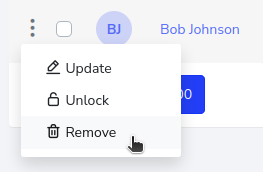
Individually, you would select the user to be deleted and then click on the button with the 3 dots on the left side of the user, then select delete, as shown below.
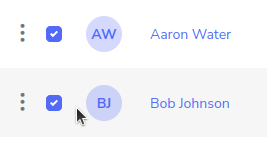
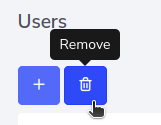
The other option is through the use of multiple selection of users, in this case, you have to select the users to be deleted and then press the trash can icon button at the top.
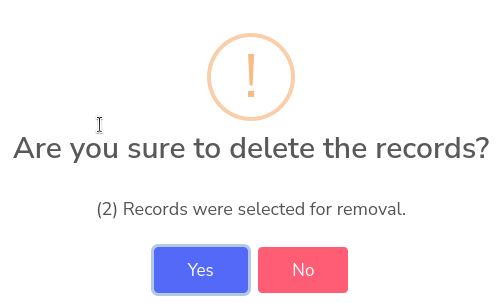
As only two users were selected, the confirmation pop-up window will show that there are 2 records to be deleted. Just click the confirm button to delete them.