
Route
- Go to Policies > (Select type of Policie)
To perform this action, it is necessary to go to the list of policies and press the button with 3 dots on the left side of the selected policy. This will bring up a menu in which you should select the “Lock” option.
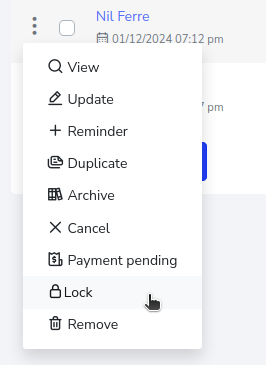
After pressing the lock option, a pop-up window will appear, asking for confirmation of the action. Press the “Yes” button.
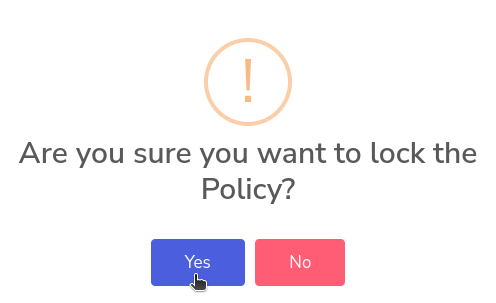
And that’s it, the policy will be blocked.