
Route
- Go to Policy > (Select type of policie)
To change it is simple, you just have to go to the specific policy and select the status it has at that moment, for example.

This will display a pop-up window containing the current status; click on it to unfold the other options with which you can make the change.
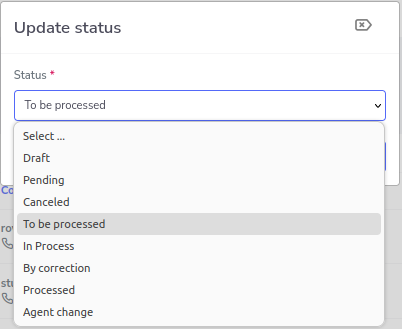
Now select the status you want, in this case, it will be changed to processed, and press the “Accept” button.
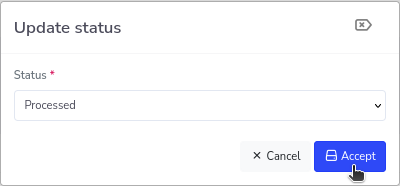
Now with the status updated, it will look like this.
